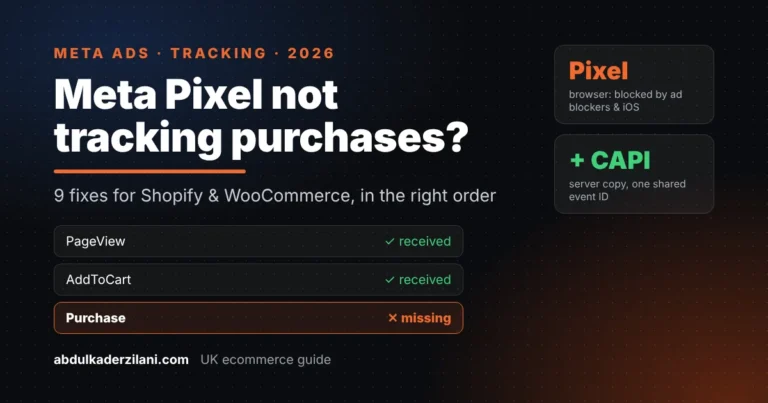
Meta CAPI Setup: Why UK Advertisers Need the Facebook Conversions API
 By Abdul Kader Zilani
·
· Updated 23 Nov 2026 · 10 min read
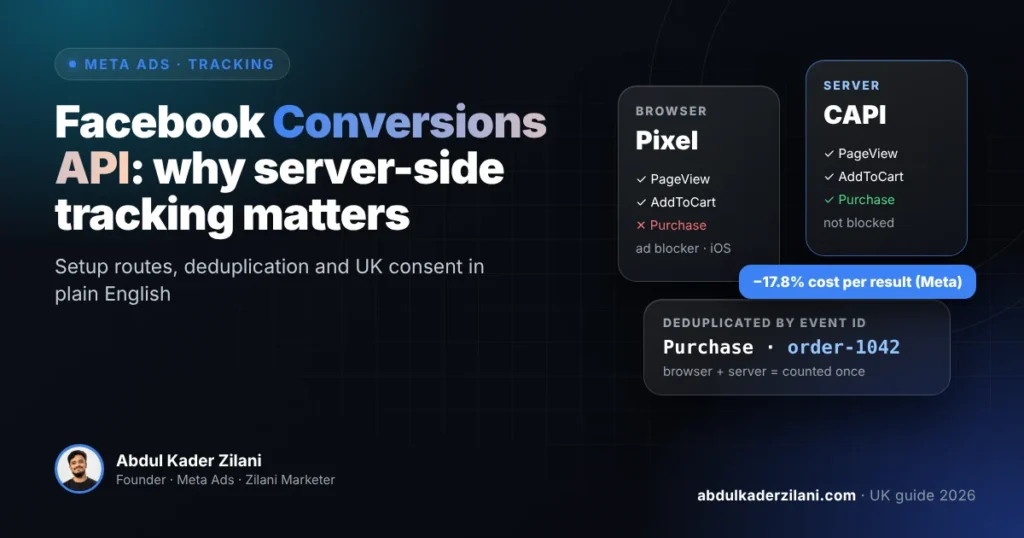
If your Meta ads report fewer sales than your shop does, the browser Pixel is probably missing some of them. The Facebook Conversions API (now officially the Meta Conversions API, usually shortened to CAPI) is how you close that gap: it sends the same events from your server, where ad blockers and browser privacy settings cannot stop them.
This guide explains what CAPI is, the four ways a UK business can set it up, how to stop it double-counting your sales, and what UK consent rules mean for it. It is written for business owners, not developers.
Run the Conversions API alongside the Meta Pixel, not instead of it, sending the same events with a shared event ID so each sale counts once. For most small businesses the easiest route is your platform’s built-in option (Shopify’s Facebook & Instagram app on Enhanced or Maximum, or Meta’s WooCommerce plugin) or Meta’s free one-click setup in Events Manager. A custom server setup is only worth it if you need events the Pixel never sees.
What the Conversions API actually does
The Meta Pixel is a piece of code that runs in your visitor’s browser. When someone buys, the browser tells Meta. That works until something in the browser gets in the way: an ad blocker, Safari’s tracking limits, a declined cookie banner, or a buyer who closes the tab before the thank-you page loads.
The Conversions API sends events from a server instead: your website’s server, your shop platform’s server, or a server Meta runs for you. Because the browser is not involved, browser-based ad blockers cannot stop it. Shopify’s own help page puts it plainly: data sent from server to server “can’t be blocked by browser-based ad blockers”.
Meta’s documentation recommends running both: the Pixel picks up browser details that help Meta match a visitor to an account, and CAPI fills in what the browser loses.
| Meta Pixel | Conversions API | |
|---|---|---|
| Runs in | The visitor’s browser | A server |
| Stopped by ad blockers | Yes | No |
| Affected by browser cookie limits | Yes | Much less |
| Can send offline or phone sales | No | Yes, with a custom setup |
| Needs consent in the UK | Yes, for advertising cookies | It still processes personal data, so you need a lawful basis |
Why it matters more in 2026
Three reasons to stop treating CAPI as optional:
- Better data, cheaper results. When Meta launched its one-click setup in April 2026, it reported that advertisers with a Conversions API setup for web events saw an average 17.8% lower cost per result than those without (PPC Land). That is Meta’s own figure across advertisers, not a promise for your account, but the direction makes sense: Meta optimises on the sales it can see.
- The ad does the targeting now. Since Meta’s Andromeda changes, the system leans heavily on conversion signals to decide who sees your ads. Missing sales mean weaker learning. See our guide to Meta’s Andromeda update.
- Shopify’s checkout changed. Purchase tracking placed in Shopify’s old Additional scripts stopped working when the Thank you and Order status pages were upgraded. We cover that in Meta Pixel not tracking purchases.
The four ways to set it up
| Route | Effort | Cost | Best for |
|---|---|---|---|
| Shopify Facebook & Instagram app (Enhanced or Maximum) | 10 minutes | Free | Shopify stores |
| Meta’s plugin for WooCommerce | 30 minutes | Free | WooCommerce stores |
| Meta’s one-click Conversions API in Events Manager | 10 minutes | Free | Any website already running the Pixel |
| Custom or partner setup (server-side Google Tag Manager, a tracking app, your own code) | Days | Hosting or app fees, plus setup time | Phone sales, offline sales, custom events, several ad platforms |
Shopify
In Shopify go to Sales channels → Facebook & Instagram → Settings → Data sharing settings and choose a level. According to Shopify’s help page:
- Standard uses the browser Pixel only.
- Enhanced adds the Conversions API, sending the purchase server to server, and shares customer details such as name, email and phone number for matching.
- Maximum does the same as Enhanced, plus Meta’s newest advertising technology.
If you are on Standard, you have no server copy. Choose Enhanced or Maximum, and make sure your privacy policy explains the data you share.
WooCommerce
Use Meta’s official plugin (Facebook for WooCommerce), which connects the Pixel, your product catalogue and the Conversions API. Then deactivate any other plugin sending Meta events, or you will send everything twice.
Meta’s one-click setup
On 15 April 2026 Meta launched a free, one-click Conversions API in Events Manager. In your dataset, choose to add a connection and select the option to set it up with Meta. Meta then hosts a server connection that mirrors what your Pixel sends and deduplicates it automatically.
Know its limits: it covers web events only, you cannot choose which events or details it sends, and it cannot send a sale the Pixel never saw. And if you already send CAPI through Shopify, the WooCommerce plugin or a partner tool, do not switch it on as well, or you will have two server sources.
Custom or partner setups
Worth it when you need events that never happen in a browser: phone orders, sales closed in a CRM, cash-on-delivery orders confirmed later, or subscription renewals. These need developer time or a paid tool, and someone to maintain them.
Kajabi and other course platforms
Kajabi has a native Meta CAPI integration, so no plugin is needed. In Meta Events Manager, open your Pixel, go to Settings and generate an access token under Conversions API. Then add the Pixel ID and access token to the Meta Pixel integration in your Kajabi settings (Kajabi Help).
Kajabi then sends Lead and Purchase events through both the browser and the Conversions API, and Meta counts each action once. One warning from Kajabi’s own help: don’t run its access token alongside a third-party CAPI gateway such as Stape, or purchases can be counted twice.
Deduplication: the rule that stops double counting
When the Pixel and the server both send “Purchase” for the same order, Meta has to know they are the same sale. Meta’s documentation says it merges them when:
- the event name matches on both (for example
Purchase), - the event ID matches (
eventIDin the Pixel,event_idon the server), and - the second copy arrives within 48 hours of the first.
It generally keeps the one that arrived first. Two practical rules follow:
- Use the order number as the event ID, as exactly the same text on both sides.
1042and#1042will not match. - Never run two tools that both send CAPI. Events from the same source are not merged, so two server sources means two purchases.
Meta’s server event reference adds that an event can be at most seven days old when it is sent; if any event in a batch is older, the whole batch is rejected. Send events as they happen.
To check deduplication is working, open the event in Events Manager and look at its deduplication details. Test Events only shows that an event arrived, not that two copies were merged.
Event Match Quality: what the score means
In Events Manager each server event shows an Event Match Quality score from 0 to 10. It is Meta’s estimate of how well the customer details you send can be matched to a Facebook or Instagram account. Better matching means more of your sales are credited and used for optimisation.
What raises it:
- Email address and phone number, which your platform hashes (scrambles into a code) before sending. Platform integrations do this for you.
- The browser identifiers
fbpandfbc, which link a server event to the ad click. Good integrations pass these through from the browser. - IP address and browser user agent, sent with the event.
- A consistent customer ID (
external_id) if you have accounts or a CRM.
Do not chase a perfect 10. A score that improves from “poor” to “good” after switching on Enhanced data sharing is the change that matters.
UK consent: CAPI is not a loophole
In the UK, advertising tracking such as the Meta Pixel generally needs the visitor’s consent under PECR, and the ICO has said its enforcement focus is online advertising technology. Sending data from a server instead of a browser does not change UK GDPR: you are still sharing personal data with Meta, so you need a lawful basis and a privacy policy that explains it.
In practice:
- Use a cookie banner that lets people accept or reject advertising cookies, with both choices equally easy.
- Make sure your CAPI setup respects that choice. Shopify pixels in the UK, for example, only run when visitors have given the permissions the pixel requires.
- Do not use CAPI to send data about people who declined, just because the browser can no longer stop it.
This is general information, not legal advice.
How to check it is working
- Events Manager → your dataset → Overview. Each event should show both “Browser” and “Server” as sources.
- Place a real test order with Test Events open, and watch Purchase arrive with a value and currency.
- Check deduplication on the Purchase event, as above.
- Compare 7 days of orders in your shop with Purchase events received in Events Manager. A server copy should close most of the gap that is not caused by declined consent.
- Leave your ads alone for a week after switching on CAPI, so Meta can relearn from the better data before you judge results.
Frequently asked questions
What is the Facebook Conversions API?
It is Meta’s way of receiving website events, such as purchases and leads, from a server instead of the visitor’s browser. It is now officially called the Meta Conversions API. Because the browser is not involved, ad blockers and browser privacy limits do not stop the events, so Meta sees more of your real results.
Do I still need the Meta Pixel if I use the Conversions API?
Yes. Meta recommends running both and sending the same events through each with a shared event ID, so each sale is counted once. The Pixel captures browser details that help matching; the Conversions API catches what the browser loses.
Is the Facebook Conversions API free?
Yes, Meta does not charge for it. Shopify’s Enhanced and Maximum data sharing, Meta’s WooCommerce plugin and Meta’s one-click setup in Events Manager are all free. Custom server setups and third-party tracking apps can cost money for hosting, subscriptions and developer time.
Why are my purchases counted twice after setting up CAPI?
Usually because the Pixel and the server send Purchase without the same event ID, or because two tools are both sending server events. Use the order number as the event ID on both sides, keep only one server source, and check the deduplication details in Events Manager.
Do I need consent for the Conversions API in the UK?
Server-side sending still shares personal data with Meta, so UK GDPR applies and you need a lawful basis and a clear privacy policy. Advertising cookies and pixels generally need consent under PECR. Do not use the Conversions API to send data about visitors who declined tracking.
What is a good Event Match Quality score?
Higher is better, and Meta labels scores in Events Manager. Rather than chasing 10, aim to move from a low rating to a good one by sending hashed email and phone number, the fbp and fbc identifiers, and IP address and user agent with each event.
How do I set up Meta CAPI on Kajabi?
Generate a Conversions API access token in Meta Events Manager (Pixel settings), then add your Pixel ID and the token to the Meta Pixel integration in Kajabi. Kajabi sends Lead and Purchase events through both the browser and CAPI, and Meta counts each once.
The bottom line
The Conversions API is no longer an advanced extra. Switch on your platform’s built-in option or Meta’s one-click setup, keep the Pixel running, deduplicate with the order number, respect UK consent, and check the numbers weekly.
Setting up the Pixel and Conversions API properly is part of our Meta ads management service. If you would like a second pair of eyes on your tracking, book a free 30-minute call.
Sources
- Meta for Developers: Handling duplicate Pixel and Conversions API events
- Meta for Developers: Conversions API server event parameters
- Shopify Help: Facebook data sharing
- Shopify Help: Pixels overview
- PPC Land: Meta’s free one-click Conversions API is now live
- PPC Land: Meta upgrades Pixel and Conversions API (17.8% figure)
- Lewis Silkin: ICO on storage and access technologies