How to Get Your Business Recommended by ChatGPT (UK Guide 2026)
 By Priotum Dhar
·
· 12 min read
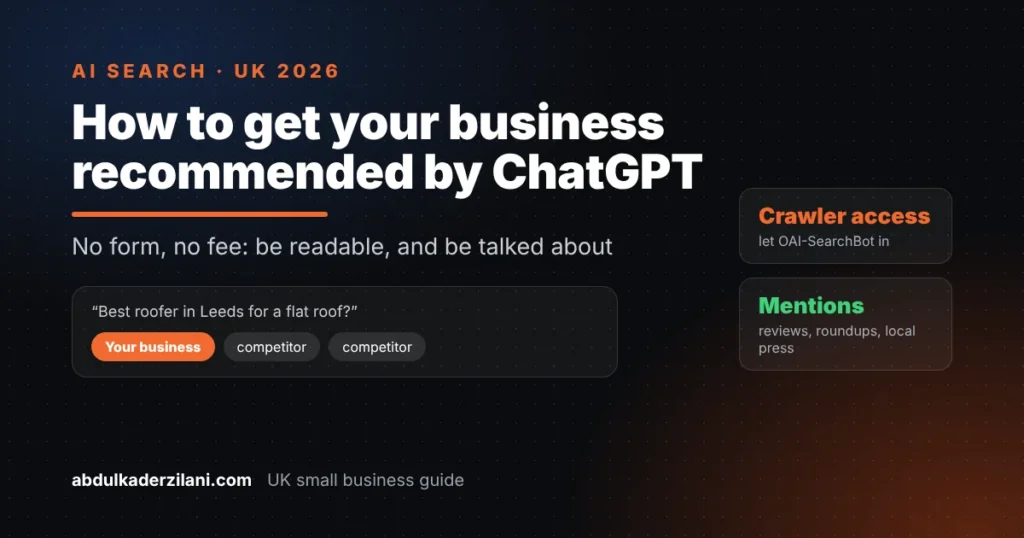
Customers now ask ChatGPT questions they used to type into Google: “best accountant for a small business in Leeds”, “who can fix a leaking flat roof near me”, “which Shopify agency is good for food brands”. ChatGPT answers with a short list of names. If you are not on it, you never get the chance to compete.
This guide explains how ChatGPT decides which businesses to name, what a UK small business can do about it, and how to tell whether it is working. It is honest about what nobody knows: OpenAI does not publish a ranking formula, so every “ChatGPT ranking factor” you read is someone’s inference from tests.
You cannot pay or submit your way into a ChatGPT answer. You get named when two things line up: ChatGPT can read your business (its search crawler is allowed in, your details are clear and consistent everywhere) and other people already talk about you (reviews, roundups, local press, forums and directories that name you for the work you do). Most of that work happens off your own website.
You cannot buy a place in the answer
There is no “recommend my business” form and no fee that puts your name inside an answer. ChatGPT now shows adverts in some countries, including the UK, but they appear below the answer, labelled as sponsored, and OpenAI says advertisers cannot change what the answer says. An ad buys a slot next to the answer, not a mention in it.
Be wary of anyone who guarantees a ChatGPT recommendation. Nobody outside OpenAI can promise that, because nobody outside OpenAI controls it.
How ChatGPT picks a business
ChatGPT answers from two places:
- What it already knows. Its training data, which stops at a cut-off date. If your business was barely mentioned online before then, it has little to go on.
- What it finds now. For questions where current information helps (“near me”, prices, opening hours, “best in 2026”), ChatGPT searches the web, often turning one question into several searches, and then writes an answer from the pages it found.
Two things follow from that:
- Ranking on Google is not the same as being named by ChatGPT. Ahrefs, an SEO software company, found that only a small share of the pages ChatGPT cited also ranked in Google’s top ten for the same question. Being strong on Google helps, but it does not carry across automatically.
- The answer changes every time. Ask the same question twice and you will often get a different list. So one screenshot proves nothing, good or bad. You need a repeated test (see “How to measure it” below).
Cited is not the same as recommended
ChatGPT can link to your page as a source and still name a competitor in the sentence that matters. For local questions, the business names usually come from what other sites say: roundups, local news, review sites and forums. Details such as address and opening hours often come from business listings and data partners. That is why fixing your Google Business Profile alone does not fix a ChatGPT recommendation.
Step 1: Let ChatGPT’s search crawler in
This is the 10-minute fix most often got wrong. OpenAI uses separate crawlers, and OpenAI’s crawler documentation says each setting is independent:
| Crawler | What it does | What blocking it does |
|---|---|---|
| OAI-SearchBot | Finds pages for ChatGPT’s search answers | Your pages will not appear in ChatGPT search answers |
| GPTBot | Collects content that may be used to train OpenAI’s models | Opts you out of training only, not out of search |
| ChatGPT-User | Visits a page when a user asks ChatGPT to look at it | robots.txt may not apply, because a person asked |
What to do:
- Check your robots.txt (yourdomain.co.uk/robots.txt). Make sure OAI-SearchBot is not blocked. Blocking GPTBot is your choice; it does not remove you from search.
- If you use a firewall, security plugin or CDN with bot protection, check it is not blocking OpenAI’s published crawler IP addresses. A robots.txt “allow” does not help if the firewall turns the crawler away.
- OpenAI says robots.txt changes take about 24 hours to reach its search systems.
- Put prices, services, areas covered and opening hours in plain text on the page, not only in images, PDFs or pop-ups.
Step 2: Make your business unambiguous
ChatGPT has to be sure who you are before it names you. Write one plain sentence and use it everywhere:
“[Business name] is a [what you do] for [who] in [town or area].”
Use the same sentence, the same business name, address and phone number, and the same main services on your homepage, About page, Google Business Profile, Bing Places, LinkedIn and every directory you are listed on. If one listing says “Smith & Sons Roofing, Leeds” and another says “Smith Roofing Ltd, Wakefield”, you make ChatGPT’s job harder.
Give each main service its own page, and if you cover several towns, say so in plain words. Structured data (schema) can help search engines read these details, but it is not a shortcut: Google says no special markup is needed for its AI features, and tests have not shown schema on its own getting a business cited. Do it for clarity, not as a ChatGPT trick. The same goes for an llms.txt file: there is no evidence it changes ChatGPT’s answers.
Step 3: Get named where ChatGPT already looks
This is the step that moves the needle, and it happens mostly off your own website.
In a study of 75,000 brands, Ahrefs found that how often a brand was mentioned across the web tracked AI visibility far more closely than how many backlinks it had, and mentions on YouTube tracked it most closely of all. That is a correlation, not proof of cause, but it matches what you see in ChatGPT answers: businesses that other people write about get named.
Practical ways a small business earns mentions:
- Get onto the roundups ChatGPT already cites. Your prompt test (below) shows which “best [service] in [town]” articles ChatGPT keeps citing. Contact those sites with something useful: a correction, a quote, a photo of recent work, or local data.
- Local press and trade bodies. A local news story, a trade association member page, a supplier’s “approved installer” list.
- Partners. Businesses you work with often have “who we work with” or case study pages.
- YouTube. Short videos answering real customer questions, with your business name and town in the title and description. ChatGPT cannot watch a video, but it can read the title, description and captions.
- Forums and community groups. Answer questions helpfully where your customers ask them. Never spam a thread with a pitch: moderators remove it, and it reflects badly on you.
Step 4: Reviews, on the platforms that matter for your trade
Reviews are evidence that real customers chose you. Two points that surprise most UK owners:
- There is no public deal that feeds Google reviews into ChatGPT. Google reviews power Google’s own AI. ChatGPT can still read reviews on pages it finds through search, including reviews you quote on your own site.
- Yelp now feeds ChatGPT. In July 2026 Yelp agreed to license its ratings, photos and business listings to OpenAI for local answers. It is not confirmed whether that covers UK listings, and Yelp is far less used in the UK than in the US, but claiming and correcting a free Yelp listing costs nothing.
For most UK businesses the review shortlist is Google, plus the platform customers in your sector actually use: Trustpilot for many service and online businesses, Checkatrade or TrustATrader for trades, Tripadvisor for hospitality. Ask every happy customer, send a direct link, and reply to every review.
Never buy, write or reward reviews. Fake reviews and undisclosed incentivised reviews have been unlawful in the UK since 6 April 2025 under the Digital Markets, Competition and Consumers Act.
Step 5: Claim your listings
Claim, complete and keep consistent:
- Google Business Profile. It powers Google Maps and Google’s own AI answers, and it is the most-cited listing in BrightLocal’s study of AI answers for local businesses.
- Bing Places. Bing Places can import your Google Business Profile, so it takes minutes. It matters more for ChatGPT than many owners realise, because Bing is one of ChatGPT’s search partners.
- Apple Business Connect, Yelp, and the directories that matter in your sector (Yell, trade bodies, Checkatrade and similar).
Same name, address, phone number, hours and description on every one.
Step 6: Publish pages ChatGPT can quote
ChatGPT quotes short, clear passages. Make your key pages easy to quote:
- Open each service page with the answer. Two to four sentences: what you do, who for, where, and a starting price if you can give one. “We fit and repair flat roofs across Leeds and Wakefield. Most repairs cost from £350. We are usually able to visit within three working days.”
- Add a “best for” line. “Best for small commercial units and home extensions with felt or EPDM roofs.” ChatGPT is often asked “who is best for…”, and this is the sentence it can use.
- Answer real questions in your customers’ words, with specifics: prices, timescales, what is included.
- Show evidence. Named case studies, numbers from real jobs, photos of real work, the qualifications you hold.
If you sell products online
ChatGPT shopping works differently. OpenAI says product results are not ads and are chosen on factors such as availability, price, quality and whether you are the maker or main seller. In practice that means:
- Price and stock must be readable on the product page (and in your product feed). A product ChatGPT cannot confirm is in stock is easy to drop.
- Product names and descriptions should say plainly what the product is, who it is for and the key specifications.
- Reviews on your product pages and on independent sites help, for the same reasons as Step 4.
New: Businesses in ChatGPT (Business Hub)
On 10 November 2026 OpenAI launched Businesses in ChatGPT in beta. Through Business Hub, eligible businesses can claim and verify their profile, correct their details, add a product feed with prices and availability, and see aggregated figures on mentions and website clicks. Business Agents (an AI assistant for your business inside ChatGPT) are limited to eligible US online businesses for now.
What a UK business should do:
- If you sell online: check whether you can claim your business in Business Hub and correct what it shows.
- If you are a local, walk-in business: reports at launch said local shops could only claim existing listings in limited markets. Check eligibility, but do not wait on it. Spend that hour on Steps 4 and 5.
- Claiming does not guarantee you will be recommended. It makes sure the details ChatGPT shows are right.
How to measure it (and why one screenshot proves nothing)
- Write 20 questions a real customer would ask. “Best [service] in [town]”, “[service] near [area] for [type of customer]”, “[your business] vs [competitor]”, “how much does [job] cost in [town]”.
- Ask each one in a fresh ChatGPT chat, logged out or in a temporary chat, twice, a week apart.
- Record four things for each: were you named, were you cited, which competitors were named, and which websites were cited as sources.
- Repeat monthly. Track how often you are named across all 40 answers, not whether you appear in one.
The list of cited sources is your to-do list. If the same three local roundups keep appearing, getting onto those pages is worth more than another blog post on your own site.
Also check:
- Google Analytics: visits from chatgpt.com as a referral source.
- Your enquiry form: add “How did you hear about us?” with ChatGPT or AI assistant as an option. Many ChatGPT users never click a link; they search your name afterwards.
Mistakes to avoid
- Blocking OAI-SearchBot when you only meant to block GPTBot.
- Paying anyone who guarantees a ChatGPT recommendation.
- Buying or scripting reviews.
- Expecting schema, llms.txt or FAQ blocks to get you named on their own.
- Judging success on one prompt, one day.
- Ignoring Bing Places because “nobody uses Bing”.
Your 30-day checklist
- Check robots.txt and firewall settings allow OAI-SearchBot.
- Write your one-sentence description and use it on your website and every listing.
- Complete Google Business Profile and Bing Places; claim Yelp and the directory that matters in your sector.
- Rewrite the opening of your top three service pages: what, who for, where, starting price, “best for”.
- Run the 20-question test twice and list the sites ChatGPT cites.
- Contact the two most-cited roundups or local sites with something genuinely useful.
- Start a weekly review request routine.
- If you sell online, check Business Hub.
Frequently asked questions
Can I pay ChatGPT to recommend my business?
No. There is no fee or form that puts your business inside an answer. ChatGPT ads appear below the answer, labelled as sponsored, and OpenAI says advertisers cannot change what the answer says. Anyone guaranteeing a ChatGPT recommendation cannot deliver it.
Why does ChatGPT recommend my competitor when I rank higher on Google?
Because ChatGPT and Google choose differently. ChatGPT runs its own searches and leans heavily on what other sites say about a business: roundups, reviews, local press and forums. A competitor that is mentioned more often elsewhere can be named ahead of you even if your website ranks higher.
Does ChatGPT use my Google reviews or Google Business Profile?
Not directly, as far as anything public shows. Google reviews and your Business Profile power Google’s own AI answers. ChatGPT can still read reviews on pages it finds through search, and Yelp now licenses its data to OpenAI. Keep your Google profile complete anyway: it is still the most important listing for local search.
How long does it take to appear in ChatGPT answers?
Technical fixes, such as unblocking OpenAI’s search crawler, can take effect within days; OpenAI says robots.txt changes take about 24 hours to reach its systems. Earning mentions and reviews takes months, and answers vary from one run to the next, so measure monthly rather than expecting a fixed date.
Do I need schema markup or an llms.txt file to appear in ChatGPT?
No. Google says no special markup or AI text file is needed for its AI features, and there is no evidence that llms.txt changes ChatGPT answers. Accurate structured data is still good practice for search engines generally, but it is not a shortcut to being recommended.
Is Businesses in ChatGPT available in the UK?
Business Hub launched in beta on 10 November 2026, and eligibility is still changing. Business Agents are limited to eligible US online businesses for now. If you sell online, check whether you can claim your profile; if you are a local business, check eligibility but keep working on your listings and reviews meanwhile.
The bottom line
ChatGPT names businesses it can read clearly and that other people already vouch for. Let its search crawler in, describe yourself the same way everywhere, earn mentions and reviews where your customers look, and make your key pages easy to quote. Then measure with a repeated test, not a single screenshot.
The same groundwork helps you show up in Google’s AI answers too; see how to get your business cited in Google AI Overviews and how to get your business on Google. If you would like help with your listings, pages and visibility, see our SEO service or book a free 30-minute call.
Sources
- OpenAI: Overview of OpenAI crawlers
- IT Brief UK: OpenAI launches ChatGPT Business Hub for companies (11 November 2026)
- SEO PowerSuite news: Yelp just joined ChatGPT
- Ahrefs: Where does ChatGPT get its information?
- BrightLocal: AI directory sources study
- BrightLocal: Local Consumer Review Survey 2026 (via IPS News)
- Digital Markets, Competition and Consumers Act 2024 (fake review rules in force 6 April 2025)