How Much Do Google Ads Cost in the UK? (2026 Prices and Budgets)
 By Abdur Rahman
·
· Updated 16 Nov 2026 · 10 min read

“How much do Google Ads cost?” is one of the first questions every business owner asks, and the honest answer starts with a frustrating one: there is no price list. Google Ads is an auction. You set a budget, you pay when someone clicks, and the price of that click is set by whoever else wants the same customer, in the same place, at the same moment.
That does not mean you cannot plan. This guide gives UK businesses real 2026 numbers taken straight from Google’s own Keyword Planner: what a click costs across different industries, how much to spend a month, and the extra charges your dashboard does not show. Then it shows how to work out a budget from what a customer is worth to you.
In Google Keyword Planner, UK top-of-page bids for everyday local searches such as “dentist near me” or “plumber near me” run from about £1.50 to £10 a click, while competitive professional searches such as “personal injury solicitor” run from about £17 to £51. There is no minimum spend. Google adds a 2% UK fee on top of your clicks, and 20% VAT if you are not VAT-registered.
How the auction sets your price
Every time someone searches, Google runs an auction among the advertisers who want to show for that search. Two things decide who appears and what they pay: how much each advertiser is willing to pay, and how relevant and useful Google judges their ad and landing page to be (the Quality Score). A business with a better ad and page can pay less per click than a competitor and still appear above them.
So the price of a click depends on:
- Your industry and what a customer is worth. Solicitors bid high because one client is worth thousands.
- The search itself. “Emergency plumber” costs far more than “plumber near me”.
- Location. London and big cities usually cost more.
- Timing. Busy days, seasons and times of day all move the price.
- Your ad and landing page quality. Better relevance means a lower price for the same position.
What a click costs in the UK in 2026, by industry
We pulled these numbers ourselves from Google Keyword Planner for the whole of the UK. Each row is a typical search a customer in that industry would make:
| Industry | Example search | UK searches a month | Top-of-page bid range |
|---|---|---|---|
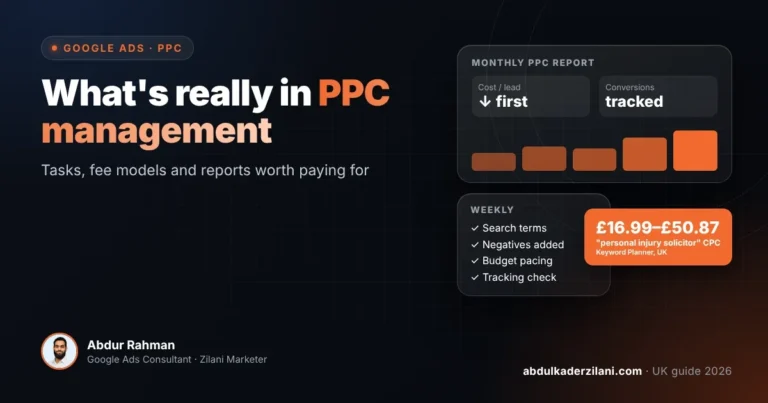
| Legal (claims) | personal injury solicitor | 1,900 | £16.99 to £50.87 |
| Legal (property) | conveyancing solicitor | 9,900 | £8.29 to £16.87 |
| Financial advice | mortgage advisor | 14,800 | £4.69 to £15.07 |
| Accountancy | accountant near me | 12,100 | £3.91 to £13.94 |
| Insurance | car insurance | 550,000 | £3.32 to £6.65 |
| Healthcare | private gp | 8,100 | £2.23 to £8.30 |
| Dental | dentist near me | 246,000 | £1.46 to £5.76 |
| Property | estate agents near me | 49,500 | £1.75 to £10.19 |
| Trades | plumber near me | 90,500 | £1.51 to £9.73 |
| Trades (urgent) | emergency plumber | 9,900 | £5.39 to £28.07 |
| Weddings and events | wedding photographer | 8,100 | £1.06 to £2.95 |
| Ecommerce (fashion) | buy dresses online | 210 | £0.39 to £1.57 |
Source: Google Keyword Planner, location United Kingdom, last 12 months, checked 15 November 2026. Bids appear in US dollars in our account and are converted at $1 = £0.757.
How to read these numbers
“Top-of-page bid” is Google’s estimate of what advertisers have paid to appear above the free results. The low end reflects quieter times and less competitive auctions; the high end reflects the busiest. Most advertisers pay less than the top of the range, and a strong ad and landing page pull your real cost down further.
Two patterns stand out. First, the more a single customer is worth, the more a click costs: a personal injury client is worth far more than a dress sale, and the bids show it. Second, urgency multiplies price: “emergency plumber” tops out nearly three times higher than “plumber near me”. ### Check your own searches, not a national average
You will see “average UK cost per click” figures quoted all over the internet, often blended across industries, mixed with cheap Display clicks, or taken from US data and converted to pounds. None of them is your price. The number that matters is the bid range for the exact searches you want, in the area you serve. In Google Keyword Planner, set the location to your area, enter 5 to 10 searches your customers would use, and read the bid columns.
Search, Performance Max, Shopping and Display: different prices, different jobs
| Campaign type | What you pay for | Best for |
|---|---|---|
| Search | Clicks on text ads for specific searches | People actively looking for what you sell |
| Performance Max | Google’s automated mix across Search, Shopping, YouTube, Display and Maps | Accounts with good conversion tracking and enough data |
| Shopping | Clicks on product listings with image and price | Online shops with a product feed |
| Display | Banner ads on websites and apps | Awareness and remarketing, usually not a first step |
Clicks on Shopping and Display are usually cheaper than Search clicks, but a cheaper click is not a cheaper customer: people clicking a banner are much less likely to buy than people who searched for you. Keep campaign types separate in your reporting, or a blended average will hide which one is wasting money. If you run Performance Max, exclude your own brand name so you are not paying for customers who were already looking for you.
What it costs in the trades
Trades are a special case because urgency changes everything, and many trades can also use Local Services Ads, which charge per lead rather than per click. We cover this in detail in Google Ads for UK tradespeople.
How much to spend a month
Start from clicks, not a round number. To judge a campaign fairly you need enough clicks to see a pattern: roughly 150 to 300 clicks a month for one service in one area. Multiply by a realistic cost per click from the table above:
| If your clicks cost about | 150 to 300 clicks a month costs |
|---|---|
| £1.50 | £225 to £450 |
| £3 | £450 to £900 |
| £6 | £900 to £1,800 |
| £15 | £2,250 to £4,500 |
So £500 a month can be a fair test for a dentist or a builder, and a frustrating one for a solicitor or an emergency trade, where it may run out before you have learned anything. If the maths says your budget only buys a few dozen clicks, narrow the campaign to fewer services and fewer towns rather than spreading it thin.
How Google spends your daily budget
These rules come from Google’s own help pages:
- There is no minimum spend.
- Your daily budget is an average. On a busy day Google can spend up to twice your daily budget.
- Over a calendar month you will not be charged more than 30.4 times your average daily budget. A £20-a-day budget has a monthly ceiling of £608.
The full bill: clicks, the 2% fee, VAT and management
The figure in your Google Ads dashboard is not the figure that leaves your bank.
- Clicks. What the dashboard shows.
- The 2% UK surcharge. Since 1 November 2020 Google has added 2% to the cost of ads served in the UK to cover the Digital Services Tax (Google Ads Help). It appears as a separate line on the invoice.
- VAT. Your contract is with Google Ireland. If you are VAT-registered and your VAT number is in the account, Google charges no VAT and you account for it under the reverse charge, which nets to nil for a fully taxable business. If you are not VAT-registered, Google adds 20% VAT you cannot reclaim.
- Management. What you pay a person or agency to build and run the account, if you do not do it yourself.
| On a £1,000 monthly budget | VAT-registered (number on file) | Not VAT-registered |
|---|---|---|
| Clicks | £1,000 | £1,000 |
| 2% UK surcharge | £20 | £20 |
| VAT | £0 (reverse charge) | £204 |
| Paid to Google | £1,020 | £1,224 |
The VAT rules work the same way as for Meta; we explain them step by step in VAT on Facebook ads in the UK, including the change to the reverse charge from April 2027. This is general information, not tax advice: check with your accountant.
How Google Ads management is usually charged
Whoever runs your account will usually charge in one of three ways: a flat monthly fee, a percentage of ad spend, or hourly for one-off work such as setup and audits. Whichever model you choose, insist on three things: you own the Google Ads account, you see cost per enquiry or sale (not just clicks), and you get a plain note each month of what changed and why. Our own terms are set out on our terms of engagement page.
Work out your budget from what a customer is worth
Round numbers like “£500 a month” are guesses. This is the better way, shown with an illustrative kitchen fitter:
| Step | Example | Formula |
|---|---|---|
| Gross profit on a typical job | £1,200 | Your figure |
| Share of enquiries that become jobs | 20% (1 in 5) | Your close rate |
| Most you can afford per enquiry | £240 | £1,200 × 20% |
| Average cost per click | £4 | Keyword Planner or your account |
| Share of clicks that enquire | 5% | Your landing page conversion rate |
| Expected cost per enquiry | £80 | £4 ÷ 5% |
| Enquiries wanted per month | 15 | Your capacity |
| Monthly budget | £1,200 | 15 × £80 |
| Daily budget | about £39 | £1,200 ÷ 30.4 |
Fifteen enquiries at one in five is three jobs, at £400 of ad spend each against £1,200 of profit. If the expected cost per enquiry came out above the affordable figure, the answer would not be “spend more”; it would be to improve the landing page, the close rate or the keywords first. Swap in your own numbers, or use our free marketing calculators.
Where the money gets wasted
Most overspending comes from a handful of default settings and missing basics:
- Location set to “presence or interest”. Change it to people in or regularly in your area.
- Search partners switched on. Turn them off until they prove they bring sales or enquiries.
- Broad match without negative keywords. Add negatives for jobs, free, DIY, training and anything you do not sell.
- No conversion tracking, or tracking that counts page views as conversions. Google’s bidding is only as good as the data you give it.
- Ads running when nobody answers the phone. Match the ad schedule to your opening hours.
- The homepage as the landing page. Send each service to a page about that service.
DIY or hire help?
You can run Google Ads yourself if you have a few hours a week, a clear offer and the patience to learn the settings above. It usually makes sense to bring in help when your monthly spend passes about £1,000, when you are in an expensive sector where mistakes cost real money, or when nobody has time to check search terms and conversions every week.
Frequently asked questions
How much does Google Ads cost per month for a small business in the UK?
There is no minimum. A sensible test buys roughly 150 to 300 clicks for one service in one area, which is about £225 to £450 a month where clicks cost £1.50, and £900 to £1,800 where they cost £6. Add the 2% UK fee, VAT if you are not VAT-registered, and any management fee.
What does a Google Ads click cost in the UK?
It depends on the search. Google Keyword Planner puts UK top-of-page bids for “dentist near me” at about £1.50 to £5.80, “plumber near me” at about £1.50 to £9.70, and “personal injury solicitor” at about £17 to £51 (November 2026). Most advertisers pay less than the top of the range.
Is there a minimum spend on Google Ads?
No. You choose your own daily budget. Google can spend up to twice the daily budget on a single day, but never more than 30.4 times the daily budget over a month.
Does Google charge VAT on ads in the UK?
If you are VAT-registered and your VAT number is in the account, Google charges no VAT and you use the reverse charge. If you are not VAT-registered, Google adds 20% VAT. Google also adds a 2% UK Digital Services Tax fee on ads served in the UK.
How is Google Ads management usually charged?
Usually as a flat monthly fee, a percentage of ad spend, or hourly for one-off work such as setup and audits. Whatever the model, you should own the account and see cost per enquiry or sale every month.
Why do my Google Ads clicks cost so much?
Usually because you are bidding on broad or urgent searches, in a competitive area, with an ad or landing page Google rates as less relevant. Tighter keywords, negative keywords, a better landing page and accurate conversion tracking all bring the effective cost down.
Is £500 a month enough for Google Ads?
It can be a fair test where clicks cost £1.50 to £3, such as many local services, with tight targeting and a good landing page. Where clicks cost £10 or more, such as legal or emergency trades, £500 often runs out before the campaign has enough data to judge.
The bottom line
Google Ads costs what your market makes it cost. Start with what a customer is worth to you, check real bid ranges for your own searches in Keyword Planner, budget for the 2% fee and VAT, and judge the campaign on cost per enquiry or sale, not cost per click.
If you want a second opinion on an existing account or help setting one up, see our Google Ads management service, compare costs with Facebook ads in the UK, or book a free 30-minute call.
Sources
- Google Keyword Planner, United Kingdom, last 12 months, checked 15 November 2026 (search volumes and top-of-page bids; USD converted at $1 = £0.757)
- Google Ads Help: Jurisdiction-specific surcharges
- Google Ads Help: About average daily budgets