Google Ads for UK Tradespeople: Local Services Ads vs Search (2026)
 By Abdur Rahman
·
· Updated 28 Nov 2026 · 13 min read
A plumber in Leeds and a roofer in Bristol can both spend £500 on Google Ads this month. One gets eight booked jobs. The other gets a pile of calls from people asking how to fix a dripping tap themselves. The difference is rarely the budget. It is which Google product they used, which searches they paid for, and what happened when the phone rang.
This guide is for UK tradespeople and small home-service firms: plumbers, electricians, heating engineers, roofers, builders, locksmiths and the rest. It explains the two kinds of Google ads you can run, what they cost in 2026, who qualifies for the pay-per-lead version, and how to set up a campaign that brings in booked work instead of wasted clicks.
Google Ads for a tradesperson is two products. Local Services Ads sit at the very top of the page and charge per lead (a call or message), not per click. Search ads sit below them and charge per click. If your trade qualifies, start with Local Services Ads; add Search for the jobs and areas they do not cover. Judge both on cost per booked job, not cost per click.
Two Google products, not one
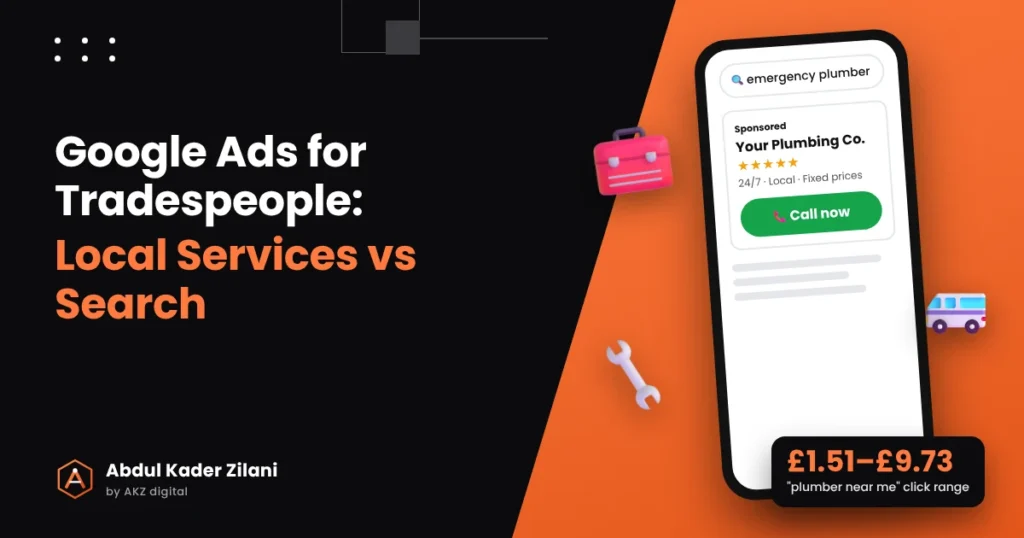
When someone searches “emergency plumber near me” on their phone, they can see up to three kinds of result before the normal website listings:
- Local Services Ads at the very top, with a photo, star rating and a Google Verified badge. You pay when a customer calls or messages you through the ad.
- Search ads, the text ads marked “Sponsored”. You pay each time someone clicks, whether or not they call.
- The map pack, the three businesses shown with a map. This is free, and it comes from your Google Business Profile. We cover it in how to get your business on Google.
Most trades guides talk about “Google Ads” as if it were one thing. It is not, and the order you use them in matters. Local Services Ads are the cheapest way to buy urgent, local work if you qualify. Search ads give you control over exactly which jobs and towns you pay for. Many good trade accounts use both.
Local Services Ads: pay per lead, top of the page
Local Services Ads (often shortened to LSAs, and sometimes still called “Google Guaranteed” ads) are the most-searched part of this topic in the UK: Google Keyword Planner shows about 4,400 UK searches a month for “local services ads” and 1,600 for “google local service ads” (UK, November 2025 to October 2026). Here is how they work for a UK business.
You pay for contact, not clicks
You are charged when a customer contacts you through the ad. People who look at your profile and leave do not cost anything. According to Google’s own help page on how leads work, these count as chargeable leads:
- an answered call, or a missed call you return and connect;
- a missed call during your business hours where the caller stays on the line for more than 20 seconds;
- a call that reaches your voicemail or automated greeting during business hours and lasts more than 20 seconds, whether or not they leave a message;
- a message from the customer.
That 20-second rule is why answering the phone matters so much. A missed call during your advertised hours can still be a lead you pay for.
No automatic refunds for bad leads in the UK
This is the biggest difference between UK and US advice, and most guides miss it. In the US and Canada, Google credits back some leads it judges to be poor quality. Google’s help page states plainly that lead credits are not available for advertisers in EMEA (Europe, the Middle East and Africa), which includes the UK. A wrong postcode, a job you do not do or a price-only enquiry can still be charged.
So in the UK you control lead quality up front: choose your service types and postcodes carefully, keep your business hours accurate, and switch off job types you do not want.
The badge changed
In 2025 Google replaced the old Google Guaranteed and Google Screened badges with a single Google Verified badge. If a guide still promises customers a money-back “Google Guarantee”, it is out of date.
Who qualifies in the UK
Google lists home-service categories such as plumbers, electricians, heating and HVAC, roofers, carpenters, painters, locksmiths and pest control on its Local Services Ads getting started page, but availability is set category by category and area by area, and UK guides disagree about some trades (locksmiths are the most common example). Check the sign-up flow for your own category and postcode rather than trusting any list, including ours.
To go live you need a verified Google Business Profile that you own or manage, and you will go through Google’s business checks for your category. In practice UK providers should have proof of public liability insurance and business registration details ready. Google does not list UK trade schemes such as Gas Safe or NICEIC as part of its own checks, but customers look for them, so show them on your profile photos and your website.
What a Local Services lead costs
Google does not publish a UK price list for Local Services leads. The price comes out of an auction, and it varies by trade, job type and postcode: an emergency locksmith lead in London costs far more than a decorating enquiry in a small town. During setup, Google shows an estimate for your category and area, and you control spend with a weekly budget and, if you choose, a maximum cost per lead. Start with the estimate Google gives you, then judge it against what a booked job is worth to you, using the maths below.
What Search ads cost a tradesperson in 2026
Search ads are a classic pay-per-click auction. The price of a click depends on how many other firms are bidding on that search, in that area, at that time. Urgency moves the price more than the trade does: “emergency” in a search can double or triple the cost of a click.
We pulled these numbers ourselves from Google Keyword Planner for the whole of the UK:
| Search | UK searches a month | Top-of-page bid range |
|---|---|---|
| plumber near me | 90,500 | £1.51 to £9.73 |
| emergency plumber | 9,900 | £5.39 to £28.07 |
| electrician near me | 74,000 | £1.32 to £7.41 |
| emergency electrician | 4,400 | £3.32 to £14.70 |
| locksmith near me | 74,000 | £5.06 to £21.19 |
| roofer near me | 33,100 | £3.38 to £15.03 |
| boiler repair | 4,400 | £3.21 to £13.37 |
| builders near me | 18,100 | £1.32 to £6.95 |
| plasterer near me | 14,800 | £1.10 to £3.67 |
| landscaper near me | 3,600 | £2.01 to £7.40 |
Source: Google Keyword Planner, location United Kingdom, last 12 months, checked 15 November 2026. Bids are shown in US dollars in our account and converted at $1 = £0.757. “Top-of-page bid” is Google’s estimate of what it takes to appear above the free results: the low end is what advertisers have paid at the cheaper times, the high end at the busiest. Most advertisers pay less than the top of the range, and London and big cities sit towards the top.
Look at plumbing: “plumber near me” tops out under £10, but add the word “emergency” and the top of the range nearly triples.
A £2 click from someone researching “how to bleed a radiator” is dearer than an £8 click from someone who books a £3,000 bathroom. The number that decides whether Google Ads pays is cost per booked job.
What a lead and a booked job actually cost
Here is the maths most guides skip. The figures below are an example; swap in your own.
| Step | Example | How to work it out |
|---|---|---|
| Average cost per click | £6 | From your account, or Keyword Planner to start |
| Clicks that become a call or form | 15% | Your landing page conversion rate |
| Cost per lead | £40 | £6 ÷ 0.15 |
| Leads that become a booked job | 50% | Your own close rate |
| Cost per booked job | £80 | £40 ÷ 0.5 |
| Average job value | £300 | Your own figure |
| Ad cost as a share of the job | 27% | £80 ÷ £300, before repeat work and referrals |
Two things follow. First, if your close rate drops from 50% to 25% because nobody answers the phone, your cost per booked job doubles to £160 without a single change in the ad account. Second, you can work out your maximum cost per click before you spend a pound: take the most you can afford per booked job, multiply by your conversion rate and your close rate. If you can afford £80 per job, convert 10% of clicks and book 40% of leads, your ceiling is £80 × 0.10 × 0.40 = £3.20 a click. Bidding £8 and hoping is how budgets disappear.
For a worked example from a real account, our towing company case study shows calls rising from 4 to 22 in 18 days and cost per conversion falling from $185 to $42.63 after the keywords were rebuilt around how people actually ask for help. It is a US account in dollars, but the lesson travels: match the words people use when they need you now.
Budgets: what to spend to learn anything
Work it out from clicks, not from a round number. To judge a Search campaign you need enough clicks to see a pattern, roughly 150 to 300 a month for one service in one area. Using the bid ranges above:
- Calm, planned work (plastering, building, general plumbing) at £1.50 to £4 a click: about £300 to £600 a month buys enough clicks to learn.
- Mid-priced work (roofing, boiler repair) at £4 to £8 a click: about £600 to £1,500 a month.
- Emergency work and locksmiths at £8 to £20 or more a click: often £1,500 a month or more, which is why Local Services Ads usually make more sense here.
Our rule of thumb: if the budget only buys a few dozen clicks a month, cover fewer towns and fewer job types properly rather than everything thinly.
The campaign structure that keeps leads affordable
The most common failure is one campaign, one ad group, twenty keywords and the homepage as the landing page. A structure that holds up:
- Separate emergency work from planned work. Emergency searches cost more and need ads that run when you can actually answer. Planned work (“boiler replacement Bristol”, “EICR Manchester”) is cheaper and can run all day.
- Bid on service plus place, not the bare trade. “Plumber” on its own attracts job seekers, students and DIY searchers. “Emergency plumber Leeds” does not.
- Build negative keywords on day one. Start with: jobs, vacancies, apprenticeship, course, training, salary, DIY, how to, YouTube, free, tools, parts, merchant and supplier names, and every town you do not cover.
- Set the location to “Presence”. In the location options choose people in or regularly in your area, not the default that includes people merely interested in it.
- Turn off Search partners until they prove they produce booked work.
- Run ads only when you answer. Use an ad schedule that matches your phone cover.
- Track calls as conversions, and record which leads turned into booked jobs, so you optimise on work, not clicks.
The landing page is half the campaign
Most people searching for a trade are on a phone. If they cannot see a tap-to-call number without scrolling, or the page takes several seconds to load on mobile data, many will go back and call the next result. A slow, confusing page does not just waste clicks; it lowers your Quality Score, so each click costs more. Send each service to its own page, with your number at the top, your area, real job photos, reviews and your accreditations. If you need help here, see our landing page service.
VAT and the 2% fee: the costs outside the dashboard
Your Google Ads dashboard does not show your full bill.
- The 2% UK surcharge. Since 1 November 2020 Google has added a 2% fee to ads served in the UK to cover the Digital Services Tax (Google Ads Help). It appears on the invoice, not in your daily budget.
- VAT depends on registration. Your contract is with Google Ireland. If you are VAT-registered and your VAT number is in the account, Google charges no VAT and you account for it under the reverse charge on your own return, which nets to nil for most trades. If you are not VAT-registered, Google adds 20% VAT you cannot reclaim, so a £500 test budget costs about £612 once the fee and VAT are added.
It is the same rule we explain for Meta in VAT on Facebook ads in the UK. This is general information, not tax advice: check your own invoices with your accountant.
Google Ads vs the alternatives
| Option | How you pay | Best for | Watch out for |
|---|---|---|---|
| Local Services Ads | Per lead | Urgent, local work in a qualifying trade | No lead credits in the UK |
| Search ads | Per click | Specific job types and towns you choose | Wasted clicks without negatives and tracking |
| Map pack (Business Profile) | Free, takes time | Steady local calls and trust | Needs reviews and regular updates |
| Lead sites (Checkatrade, MyBuilder, Bark) | Membership or per lead | Getting started without a website | Shared leads, price competition |
| Meta (Facebook, Instagram) ads | Per impression | Planned, visual work: kitchens, bathrooms, landscaping | People are not searching, so convert slower |
For most trades the order is: get the free Business Profile right, add Local Services Ads if you qualify, then add Search for the jobs and places that pay best. Our guide to getting more customers covers the wider mix.
A 4-week starter plan
- Week 1: Check your Business Profile and reviews. Fix the landing page and phone cover. Apply for Local Services Ads if your category is available in your area.
- Week 2: Launch one Search campaign for your most profitable planned job in your core towns, with the negative list above and call tracking switched on.
- Week 3: Add an emergency campaign only if you can answer the phone during its hours. Review search terms and add negatives twice a week.
- Week 4: Work out cost per lead and cost per booked job for each campaign. Move money to whatever books work, pause what does not.
Frequently asked questions
Are Google Ads worth it for a tradesperson?
Usually, yes, when the campaign targets a tight local area, focuses on urgent or high-value jobs, blocks irrelevant searches and tracks calls through to booked jobs. Campaigns that skip those steps tend to waste money on job seekers, DIY searchers and people outside your area.
How much do Google Ads cost for a plumber in the UK?
Google Keyword Planner puts the UK top-of-page bid for “plumber near me” at about £1.50 to £9.70 and for “emergency plumber” at about £5.40 to £28 (November 2026). Most advertisers pay less than the top of the range. Local Services Ads charge per lead instead, priced by auction for your area. What matters is cost per booked job.
Should I use Local Services Ads or Search ads first?
If your trade and area qualify, start with Local Services Ads: you pay per lead and appear at the top of the page. Add Search ads for jobs and places Local Services Ads do not cover, or where you want more control over which jobs you pay for.
Can I get refunds for bad Local Services leads in the UK?
Not automatically. Google’s help pages say lead credits are not available for advertisers in EMEA, which includes the UK. Control quality by choosing service types, postcodes and business hours carefully.
How much should a tradesperson spend on Google Ads?
Enough to buy roughly 150 to 300 clicks a month for one service in one area. For calm, planned work that is often £300 to £600 a month; for emergency work, where clicks can pass £20, it can be £1,500 or more, which is why Local Services Ads often suit emergency trades better.
Do I need a website to run Google Ads?
Local Services Ads can run from your Google profile, but Search ads need a landing page, and a fast, mobile-friendly page with your number at the top makes every click cheaper and more likely to call.
Does Google charge VAT on ads for UK trades?
If you are VAT-registered and your VAT number is in the account, Google charges no VAT and you use the reverse charge. If you are not VAT-registered, Google adds 20% VAT. Google also adds a 2% UK Digital Services Tax fee. Check with your accountant.
The bottom line
Google Ads works for trades when you buy the right searches, in the right places, at a price your job values can carry, and then answer the phone. Start with Local Services Ads if you qualify, add tightly built Search campaigns, and measure everything in booked jobs.
If you would rather have it set up properly from the start, see our Google Ads management service, read how we work with home services and trades, or book a free 30-minute call.
Sources
- Google: How leads work (Local Services Ads)
- Google: Getting started with Local Services Ads
- Google Ads Help: Jurisdiction-specific surcharges
- Google Keyword Planner, United Kingdom, last 12 months, checked 15 November 2026 (search volumes and top-of-page bids; USD converted at $1 = £0.757)