Ecommerce PPC Agency Guide: How UK Stores Use Google Ads and Meta Ads Together
 By Abdur Rahman
·
· Updated 28 Nov 2026 · 8 min read
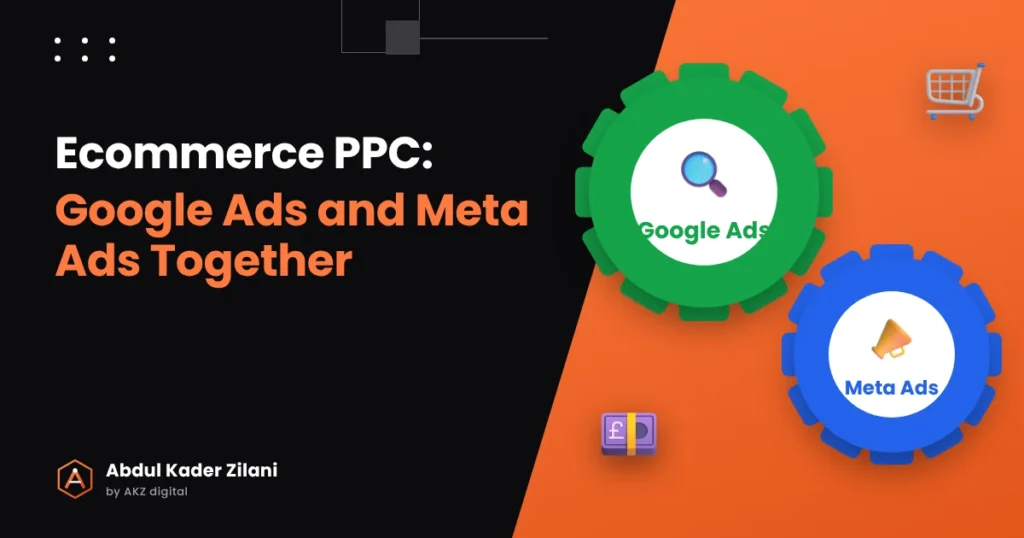
Online shops in the UK usually ask the same question in different words: should we spend on Google or on Meta? The honest answer is that for most stores it is both, but not in equal amounts and not for the same job.
Google mostly catches people who already know what they want. Meta mostly finds people who did not know they wanted it yet. This guide explains how UK stores use Google Ads and Meta Ads together, how to split a budget by margin rather than gut feel, and what to look for if you hand the work to an ecommerce PPC agency.
In the Google Ads vs Meta Ads for ecommerce debate, Google Shopping and Search capture existing demand, while Meta creates new demand with creative and catalogue ads. Start with your break-even ROAS (1 divided by your gross margin), fund the channel that can hit it first, and add the other once tracking is solid. Both need a clean product feed, and both add a 2% UK fee on top of spend.
Why UK online shops need both Google Ads and Meta Ads
Online shopping is a big, steady share of UK retail. The Office for National Statistics estimates that 29.2% of retail sales in Great Britain were made online in October 2026, up from 29.1% in September. That is a lot of buyers, spread across two very different kinds of moment.
- Searching moments. Someone types “waterproof walking boots women’s size 6” into Google. They want to buy and are comparing options. This is where Google Shopping and Search ads work.
- Scrolling moments. Someone is on Instagram and sees a short video of your boots in the rain. They were not looking, but now they are interested. This is where Meta works.
A store that only uses Google is limited by how many people already search for what it sells. A store that only uses Meta often pays to create interest and then loses the final search to a competitor or a marketplace.
Google Ads vs Meta Ads for ecommerce: what each one does
| Google Ads (Shopping, Search, Performance Max) | Meta Ads (Facebook and Instagram) | |
|---|---|---|
| Main job | Capture people already searching | Create interest in people who are not searching yet |
| What drives results | Product feed quality, prices, search terms | Creative, offer and catalogue ads |
| Best for | Products people search for by name or type | Visual, new or impulse products, and new brands |
| Key setup | Merchant Center feed, conversion tracking | Catalogue, Meta Pixel and Conversions API |
| UK fees on top of spend | 2% UK surcharge (since 1 November 2020) | 2% UK location fee (since 1 July 2026) |
| Common mistake | Letting Performance Max spend on brand searches unchecked | Running one or two ads for months |
Google: Shopping, Search and Performance Max
For most stores, Google Ads revolves around the product feed in Merchant Center. Google’s free listings help page lists the attributes your products need, including ID, title, link, image, price, description, availability, brand and GTIN where the manufacturer assigns one. In the UK you must also set up delivery settings or delivery costs. The same feed powers free listings across Search, the Shopping tab, Images and YouTube, so a clean feed helps even before you spend a penny.
On the paid side, many stores run Performance Max, Standard Shopping or both. Since October 2024, Google has said that when both campaign types target the same products in one account, Performance Max no longer takes automatic priority: normal auction dynamics apply and the campaign with the higher Ad Rank serves. That makes it easier to keep a Standard Shopping campaign for your best sellers alongside Performance Max.
Meta: catalogue ads and creative
Meta’s Advantage+ catalogue ads take products from your catalogue feed and show relevant items to the right people, using the Meta Pixel or app events to measure purchases. They are particularly good at showing people products they viewed but did not buy. Prospecting, though, is driven by creative. Our guide to the Meta Andromeda update explains why a wider range of different creatives now matters more than fine-tuned audiences.
Tracking is the other half. Meta reports a 17.8% lower cost per result for advertisers who use the Conversions API (reported by PPC Land), and launched a free one-click Conversions API setup on 15 April 2026. If purchases are missing in Events Manager, start with our guide to Meta Pixel purchase tracking problems.
How to split your ecommerce PPC budget between Google and Meta
There is no correct percentage that suits every store. A better starting point is your margin.
Step 1: work out your break-even ROAS
Break-even ROAS is 1 divided by your gross margin after product cost, delivery and payment fees. Our break-even ROAS guide and calculator walks through it.
| Gross margin (example) | Break-even ROAS | What it means |
|---|---|---|
| 25% | 4.0 | Every £1 of ads must bring in £4 of sales just to break even |
| 40% | 2.5 | More room for Meta prospecting |
| 60% | 1.67 | Can afford to build demand on Meta and YouTube |
These are worked examples, not benchmarks. Remember to include the 2% UK fees and, if you are not VAT registered, the 20% VAT you pay on ad spend.
Step 2: choose a starting split by store type
| Store situation | Where to start | Why |
|---|---|---|
| Known products people search for by name | Mostly Google, smaller Meta remarketing | Demand already exists, capture it first |
| New brand or new product type | Mostly Meta, small Google brand and Shopping | People cannot search for something they do not know exists |
| Low margin (break-even ROAS above 4) | Google Shopping on proven sellers | Meta prospecting rarely pays back at thin margins |
| High margin, strong visual product | Balanced, often Meta-led | Creative can sell it; Google catches the follow-up searches |
| Big seasonal peaks (Black Friday, Christmas) | Build Meta audiences early, lean on Google in the peak | Searches spike close to buying days |
Step 3: judge the total, not each channel alone
Meta often starts journeys that end in a Google search. If you judge each platform only on its own reported ROAS, you may cut the channel that created the demand. Look at total sales against total ad spend each month, alongside each platform’s figures. Our guide to scaling an ecommerce brand shows how this works as spend grows.
What an ecommerce PPC agency should do
If you hire help, the work should look like this.
- Tracking first. Purchases and revenue recorded correctly in Google Ads, Meta and analytics, with consent handled for UK visitors.
- Feed work. Clear product titles, correct prices and stock, GTINs, delivery and returns information, and fixing disapprovals.
- Campaign structure. Separate treatment for best sellers, new products and low-margin lines, with brand searches reported separately.
- Creative supply. A steady flow of new Meta ads: product videos, customer-style clips, offers and comparisons.
- Search term and placement checks. Negatives in Google, and regular reviews of what Performance Max is spending on.
- Margin-aware reporting. Results reported against break-even ROAS or profit, not just revenue.
How ecommerce PPC agency costs are usually set
We do not publish other firms’ prices. Most ecommerce PPC agencies charge a flat monthly fee, a percentage of ad spend, or a mix of the two, sometimes with a setup fee for tracking and feeds. The cost is mostly driven by how many channels you run, how many products and markets are involved, and how much creative the agency produces. Ask how many hours a month you get and who makes the ads. Our own approach is on our terms of engagement page, and our guide to choosing a PPC agency lists the contract terms to check.
A 30-day starter plan for running Google Ads and Meta Ads together
- Week 1: Check purchase tracking on both platforms with a real test order. Fix feed errors in Merchant Center. Connect your catalogue to Meta.
- Week 2: Launch or tidy Google Shopping or Performance Max on best sellers. Set up a brand Search campaign. Add Meta catalogue ads for recent visitors.
- Week 3: Launch Meta prospecting with five to ten genuinely different creatives. Review Google search terms and add negatives.
- Week 4: Compare total sales with total ad spend against your break-even ROAS. Move budget towards what is working and replace the weakest creatives.
For a deeper look at the Meta side, read our guide to Meta ads for UK ecommerce.
Frequently asked questions
Is Google Ads or Meta Ads better for a small UK online shop?
It depends on whether people already search for what you sell. If they do, start with Google Shopping. If your product is new or very visual, Meta usually finds buyers faster. Most shops end up using both.
Should I run Performance Max and Standard Shopping together?
You can. Since October 2024, Google says Performance Max no longer automatically takes priority over Standard Shopping in the same account; the higher Ad Rank serves. Many stores keep Standard Shopping for best sellers.
How much should I spend on ecommerce PPC?
Start with a budget you can afford to test for at least a month, and judge it against your break-even ROAS rather than a target someone else uses.
Do I need a product feed for Meta Ads?
For catalogue ads, yes. Meta’s Advantage+ catalogue ads use your catalogue feed for images, descriptions and prices, and the Meta Pixel or app events to measure purchases.
Why do Google and Meta both claim the same sale?
Each platform credits sales based on its own ads and attribution settings. Compare total sales with total ad spend as well as each platform’s reports.
Are there extra UK fees on Google and Meta ads?
Yes. Google adds a 2% UK surcharge and Meta adds a 2% UK location fee. VAT-registered businesses use the reverse charge; others pay 20% VAT on top.
The bottom line
The Google Ads vs Meta Ads for ecommerce question has a practical answer: use Google to catch demand, Meta to create it, and your margin to decide how hard to push each one. Get tracking and the product feed right before you scale either. If you want help running both together, see our ecommerce marketing service or book a strategy call and we will look at your numbers with you.
Sources
- Retail sales, Great Britain: October 2026 (Office for National Statistics)
- Free listings for products (Google Merchant Center Help)
- Google Ads Performance Max won’t take priority over Standard Shopping (Search Engine Roundtable, quoting Google’s announcement)
- Advantage+ Catalog Ads (Meta for Developers)
- About the search terms report in Performance Max (Google Ads Help)
- Meta’s free one-click Conversions API is now live (PPC Land)